The Rules of the Internet: What an Old Meme List Still Reveals
An old list of internet in-jokes reveals how anonymity, memes and online retaliation evolved—and what parents should understand about that culture today.
The “Rules of the Internet” are not an official code. No institution drafted them, and no authority enforces the list. They are a satirical, informal constitution assembled by an early online community for its own amusement—a collection of in-jokes presented with mock solemnity. That does not make the conduct they describe exempt from a website’s actual rules or from the consequences of harming someone.
The list took shape around 2006–2007. Many entries were crude, and several were written specifically to shock. Read two decades later, however, some look less like jokes than like recognisable descriptions of how people behave online. They did not predict the internet’s future so much as exaggerate tendencies that were already visible.
Where the list came from
The rules are closely associated with 4chan and especially its /b/ board, labelled “Random”, but their precise origin is difficult to pin down. The history documented by Know Your Meme traces discussion through Anonymous-related IRC channels, an Encyclopedia Dramatica entry in late 2006 and a list posted on 4chan in February 2007. There was no single author or authoritative edition.
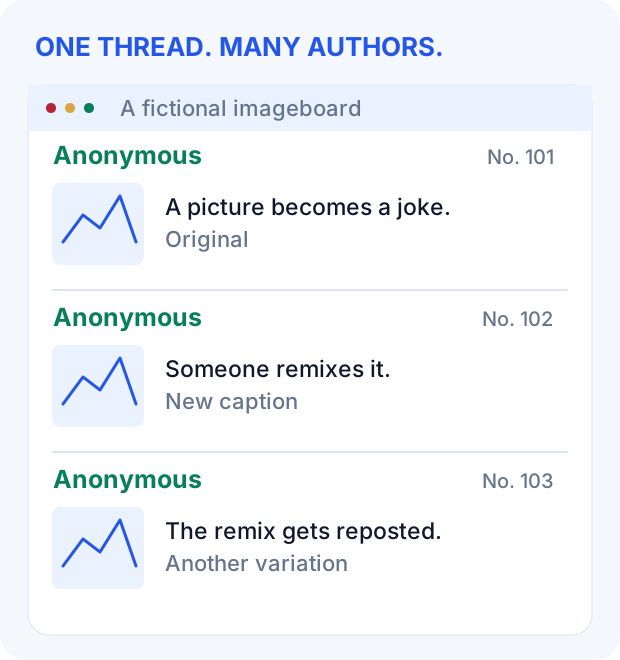
4chan is an imageboard: a forum organised around images and the replies they attract. Its own FAQ explains that users do not register accounts, an image is required to start a thread, and replies can be text alone. That structure rewarded content that could be copied, altered and reposted quickly—a picture with a caption, reworked by many people within hours.
The defining feature was anonymity. Leaving the name field empty made a post appear under “Anonymous”; optional names and identity signals were still possible. A 2011 study of /b/ found that more than 90 per cent of the posts it examined were fully anonymous. Without persistent public profiles, conventional reputation carried less weight. Sharp humour and creativity coexisted with trolling and hostility.
Anonymity was not the same as being untraceable or beyond consequences. Administrators could see information unavailable to other users, and the site had moderators. What changed was the social setting: a person’s offline identity was usually absent from the conversation.
The list itself was never fixed. Short early versions grew into copies with hundreds of entries. Different versions contradicted one another, and the numbering shifted. That instability is part of its character: it was less a document than a running joke that kept being rewritten.
Five ideas that escaped the imageboard
Because the list existed in many versions, the entries below are identified primarily by their content. Familiar numbers are included where useful; they are not a definitive index.
Rule 34: participation without gatekeepers
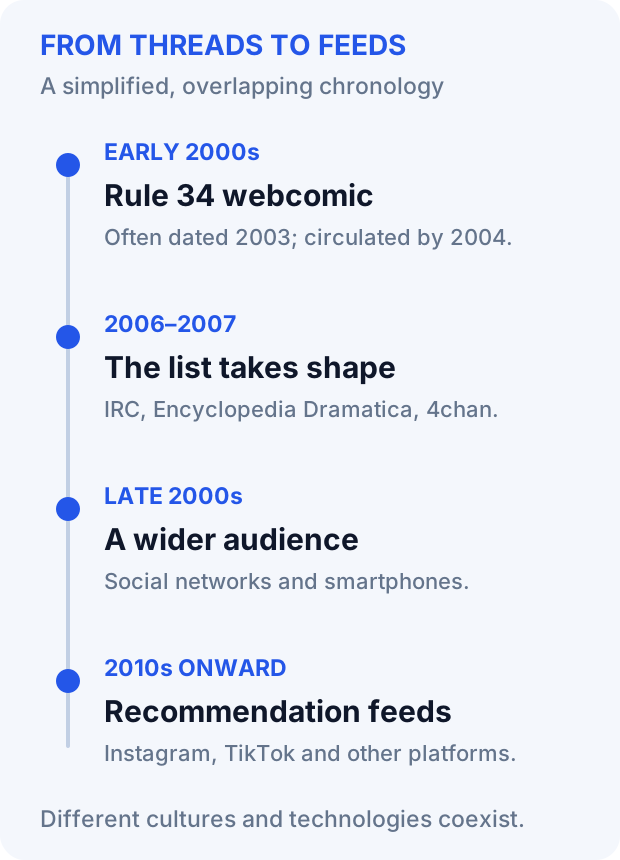
The best-known entry claims that if something exists, there is adult content about it. It is an exaggeration, not a testable law. The phrase predates the wider list and is commonly attributed to an early-2000s webcomic by Peter Morley-Souter. The often-repeated date is 2003, although accounts of its earliest circulation vary; Know Your Meme’s history of the phrase identifies a Google-cached copy from October 2004.
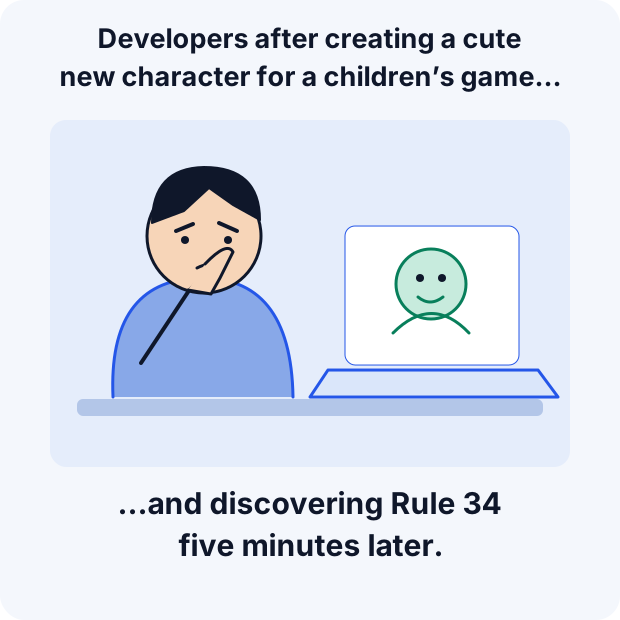
Its significance here is sociological. Traditional adult-entertainment businesses chose what to produce partly according to commercial demand. User-generated publishing made it much easier for individuals to create and share niche material without a production company’s approval. Rule 34 became shorthand for that scale of participation: even a franchise intended for children can acquire an adult fan-made counterpart. The original work’s intended audience does not control what others make around it.
Rules 1 and 2: the secret club
The opening rules in a familiar version tell users not to talk about /b/, echoing Fight Club’s first two rules. They express the attraction of an insider culture: knowing the references is part of belonging. Their scope was itself disputed; some users treated them as instructions for raids on other sites rather than a general demand for secrecy.
As a boundary against mainstream attention, the idea did not hold. The list became a widely circulated artefact of the community it seemed to conceal. An in-joke that is easy to copy is also difficult to keep private.
“Anonymous does not forgive”: collective retaliation
The line about Anonymous never forgiving reads as both a boast and a threat. It sits alongside the history of online raids and campaigns in which groups could direct attention, harassment or attacks at a target.
Some tactics included doxxing—the publication of a person’s private information—and attempts to take websites offline. This is not interchangeable with criticism, public accountability or everything described as “cancel culture”. The useful comparison is narrower: a crowd can punish someone without a shared procedure, agreed evidence or an obvious person to appeal to. The slogan illustrates that mentality; it did not invent it.
“There are no girls on the internet”: suspicion and exclusion
Commonly numbered Rule 30, this claim was never a factual description: women were online throughout the period. It was an exclusionary joke that could also be used to dismiss or challenge a participant’s stated identity.
There is a useful lesson about verification beneath the posturing—an online identity claim does not verify itself—but that lesson does not require the sexist premise. Reading the rule as folklore means recognising both the suspicion it expressed and the people it made unwelcome.
“??? → Profit”: the missing business model
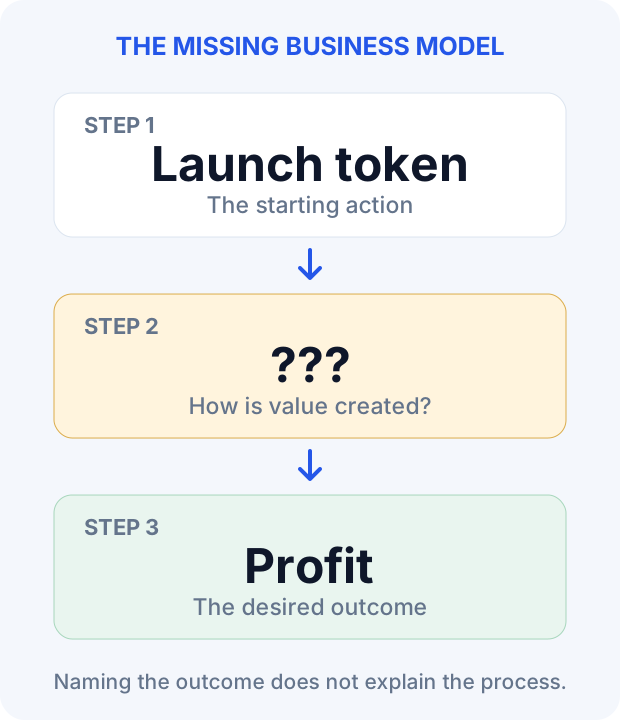
The formula comes from the South Park episode “Gnomes”. A group of gnomes has a plan whose first step is collecting underpants and whose last step is profit, while the middle step is unexplained.
The internet turned this into a reusable template for plans that skip the part where value is created. Applied to a start-up or a token launch, the joke is not that profit is impossible. It is that naming the first action and the desired outcome does not explain how one leads to the other.
From inside jokes to recommendation feeds
The modern meme. Fast, remixable humour built on shared references and repeated formats owes part of its development to imageboard culture. It also has other ancestors, including forums, blogs and earlier online communities. The formats changed; the habit of taking a familiar template and giving it a new meaning endured.
From anonymity to algorithms. On forums and imageboards, finding a community often meant learning its vocabulary and conventions. Recommendation feeds can deliver a community’s jokes to someone who has never joined it or seen their original context. Both forms coexist today, but the route by which a joke reaches its audience has changed.
The end of the secret club. Social networks and smartphones widened the audience and made sharing easier. Real-name profiles existed alongside pseudonyms, while platforms increasingly mediated distribution. The small, self-contained underground imagined by the early rules became harder to maintain, even though closed communities never disappeared.
What parents should take from the history
Internet archaeology. Some Discord servers and private Reddit communities reproduce the old pattern on a smaller scale: their own vocabulary, in-jokes and rules about who belongs. Knowing that pattern makes behaviour easier to interpret. An unfamiliar reference is not, by itself, evidence that something dangerous is happening.
Humour versus toxicity. Much of what circulates is recycled folklore. The concern becomes more concrete when a joke targets a specific person, turns into repeated harassment or involves threats and the exposure of private information. At that point, the fact that a phrase began as an old internet gag does not excuse the harm.
Adult fan content ignores a franchise’s age rating. A child looking for pictures from a favourite game may encounter material intended for adults. Parents cannot control everything uploaded to the internet, but they can reduce exposure with several layers of protection. None covers every route or replaces supervision.
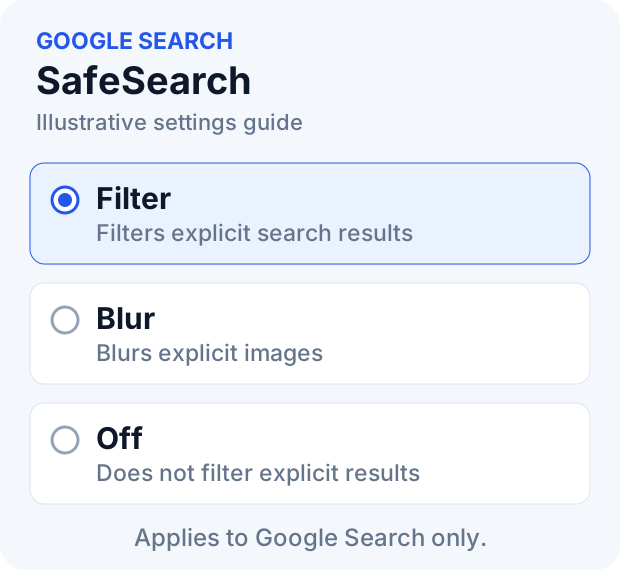
1. Set Google SafeSearch to Filter
Open Google’s SafeSearch settings for the account or browser the child uses and select Filter, the strictest option. Filter is intended to block explicit search results; Blur mainly obscures explicit images and can still leave explicit text and links visible.
Google’s guidance explains that SafeSearch affects Google Search, not other search engines or the websites a child opens directly. Family Link can let parents manage the setting for eligible supervised accounts. Check who controls it and verify the account the child actually uses; filtering systems can miss content.
2. Choose the appropriate YouTube controls
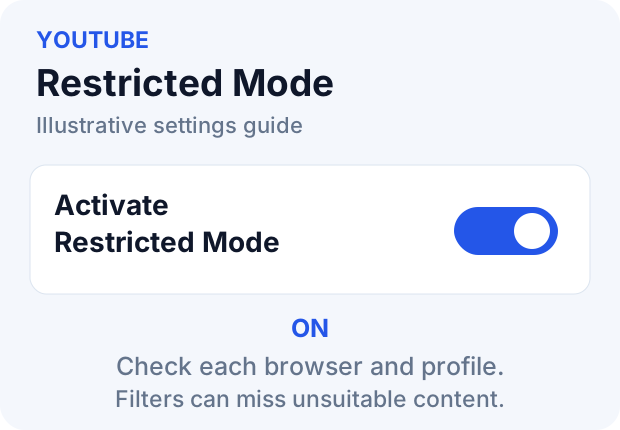
On desktop YouTube, open the profile menu, select Restricted Mode, and turn on Activate Restricted Mode. In the mobile app, look for Restricted Mode in settings; the path can differ between versions.
YouTube describes Restricted Mode as an optional way to screen potentially mature content. It normally applies at browser or device level and needs to be enabled for each browser and profile in use. It is not a guarantee that every unsuitable video will disappear.
For younger children, consider YouTube Kids or an eligible supervised YouTube account with parent-selected content settings. These are distinct from simply enabling Restricted Mode; YouTube’s explanation of supervised accounts sets out the differences and notes that automated filters are imperfect.
3. Consider filtered DNS on the home router
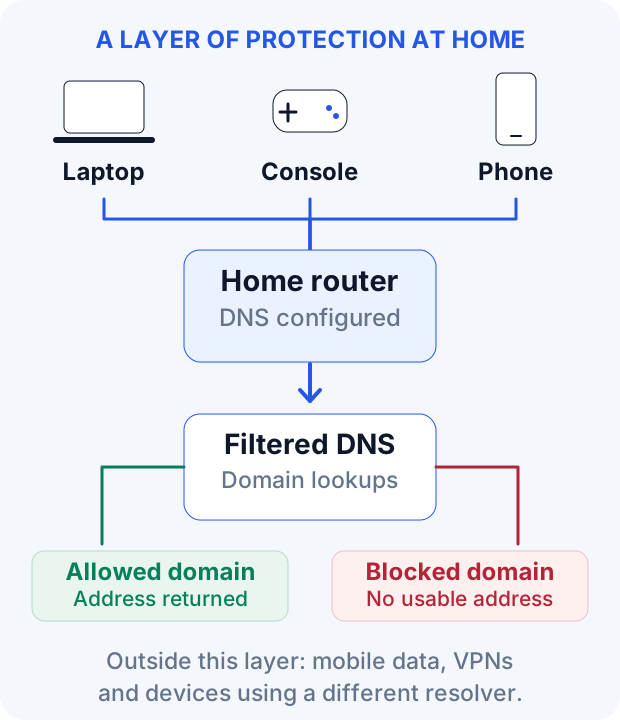
DNS filtering can add a layer across household devices that use the configured resolver. Cloudflare’s 1.1.1.1 for Families offers a free option for blocking domains categorised as malware or adult content: 1.1.1.3 and 1.0.0.3. If the network uses IPv6, configure its filtered IPv6 addresses too: 2606:4700:4700::1113 and 2606:4700:4700::1003. Follow the provider’s router instructions and verify that devices are actually using the intended resolver.
Another option is OpenDNS FamilyShield, which uses predefined adult-content categories. It is distinct from a configurable OpenDNS Home setup; merely choosing a provider’s ordinary DNS addresses does not necessarily enable the desired filter.
The limits matter. DNS filtering works on domain lookups, not individual images or videos inside an otherwise allowed platform. A phone on mobile data is outside the router’s control. A VPN, a manually chosen resolver or browser DNS-over-HTTPS using a different provider can also bypass the router’s filtering. Encrypted DNS can still be filtered when it uses the intended family resolver; encryption itself is not the problem.
The most useful rule is a conversation
Technology can reduce exposure, but children also need a way to respond when a filter fails. They should know that if they encounter something disturbing or apparently wrong, they can come to a parent without fear of automatic punishment or of immediately losing their device.
The “Rules of the Internet” are a digital monument to a particular phase of online culture: an anonymous, improvisational corner of the web whose participants liked to imagine it beyond outside control. Many entries are vulgar, and many are outdated. Taken together, they remain a record of creativity, prejudice, suspicion and group behaviour in a setting where public identity was unusually weak. Understanding that history helps distinguish an inherited joke from conduct that deserves a serious response.
References
- Know Your Meme. Rules of the Internet; Rule 34. Historical accounts with links to earlier records.
- 4chan. Frequently Asked Questions.
- Bernstein, M. S., et al. (2011). 4chan and /b/: An Analysis of Anonymity and Ephemerality in a Large Online Community.
- South Park Studios. Gnomes, episode guide.
- Google Search Help. Make Google Search safer with SafeSearch.
- YouTube Help. Turn Restricted Mode on or off on YouTube.
- YouTube For Families Help. FAQs about supervised kid accounts.
- Cloudflare. Set up 1.1.1.1; 1.1.1.1 for Families.
- Cisco. Understand OpenDNS FamilyShield.